Quick answer
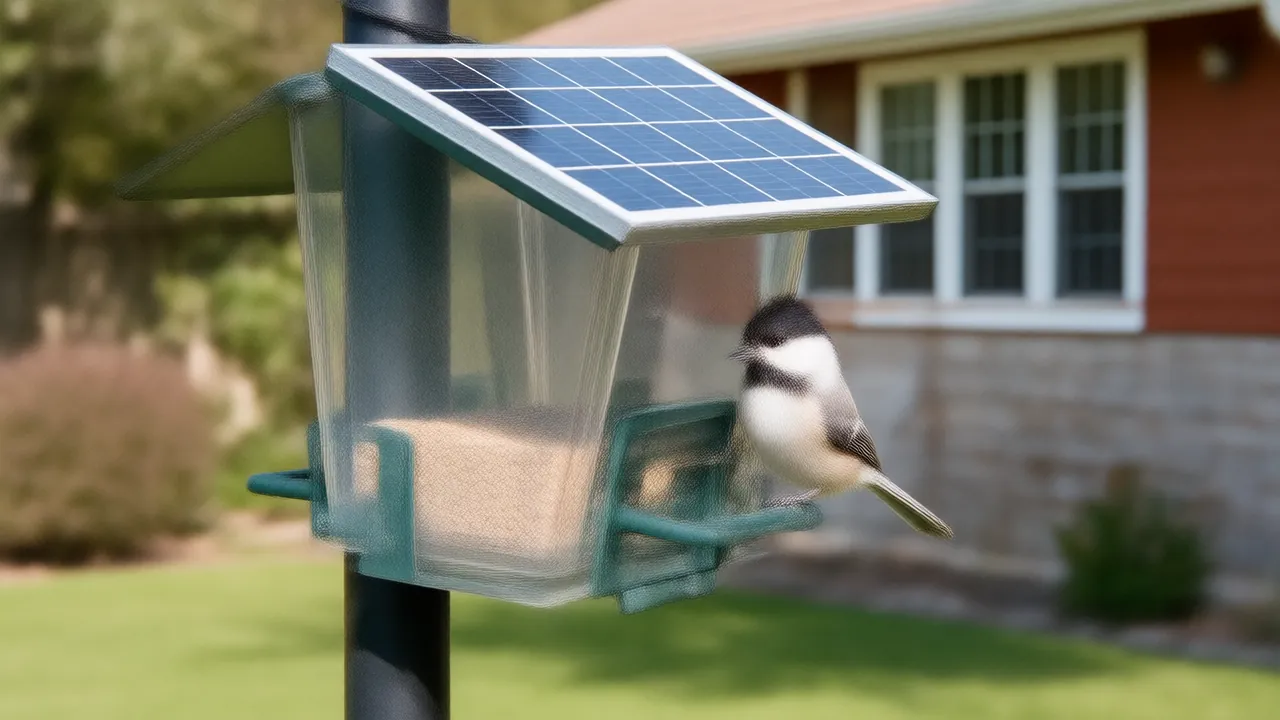
Charge the camera fully, install the maker's app and pair the camera next to your WiFi router, then confirm live view and alerts work indoors. Next, check the WiFi signal at the mounting spot, mount the feeder about 5 feet high where the solar panel gets direct sun, aim the lens at the perch, fill it with seed, and fine-tune motion alerts over the first week.
In this guide
Setting up a bird cam goes smoothest when you do the tech part indoors first and the outdoor part second. Most first-day problems, like a camera that will not pair or one that drops offline as soon as it is mounted, come from skipping the indoor test or mounting the feeder where the WiFi signal is weak.
The checklist below fits most bird feeder cameras. Your manual has the exact buttons and app screens; this is the order of steps that saves you from taking the feeder back down.
Key facts
- To cut bird-window collisions, markings on the outside of the glass should be no more than 2 inches apart; exterior screens also help. (Source: Cornell Lab – Project FeederWatch, checked )
- Birdfy's own app guide says its cameras save recordings to the cloud by default and its AI bird recognition runs on Birdfy's servers. (Source: Birdfy app guide, checked )
- A wide variety of feeder birds eat black-oil sunflower seed, and birds that eat sunflower also take hulled sunflower. (Source: Cornell Lab – Project FeederWatch, checked )
Before you start: what to have ready
- Your WiFi name and password. Many feeder cameras connect only to a 2.4 GHz network, so check that your router broadcasts one. Most do, sometimes under a separate network name.
- Your phone, with the camera maker's app installed and an account created.
- A microSD card, if your camera takes one and you plan to save clips on it. Check the manual for the supported card size and format.
- Mounting hardware: a pole, bracket, strap or hanger, depending on where the feeder will go.
- Fresh seed. Black oil or hulled sunflower suits most feeder birds.
The first-day setup checklist
- Charge it fully. A solar feeder camera can arrive with a partly charged battery. Charge it indoors with the included cable until the indicator shows full, so the solar panel only has to keep it topped up.
- Remove any protective film. Peel clear film off the lens and the solar panel. A forgotten sticker over the lens is a classic cause of hazy first clips.
- Insert the memory card, if you use one, with the camera switched off. Format it in the app when prompted.
- Pair it next to the router. Switch the camera on, open the app and follow the add-device steps, which usually involve scanning a QR code or joining the camera's own temporary network. Pairing within a few feet of the router rules out signal problems.
- Install updates. If the app offers a firmware update, run it now while the camera is indoors and fully charged.
- Test live view and alerts indoors. Open live view, then wave a hand in front of the lens and check that your phone gets an alert. If it works here, any later problem is about placement, not settings.
- Check the signal where it will live. Carry your phone to the exact mounting spot and check the WiFi bars, or carry the camera out and watch live view for a minute or two. Choppy or frozen video there means you need a closer spot or a WiFi extender near a window facing the yard.
- Mount it, following the placement rules below.
- Aim it. Open live view and make sure the perch and seed port sit in the frame, with a plain background behind them.
- Fill it with seed and give the birds time. A new feeder can take days, sometimes a couple of weeks, to be discovered.
Do steps 1 to 6 at the kitchen table before any tools come out. If the camera will not pair or send alerts indoors, no mounting spot will fix it.
Where to mount a bird cam
The best spot balances four things: sun for the solar panel, a strong WiFi signal, protection from squirrels, and a clear view for the lens. Where to put a bird feeder covers the bird-safety side: cover, cats and windows.
- Height: about 5 feet off the ground. That is high enough for a pole baffle to stop squirrels and low enough to refill the seed and wipe the lens without a ladder.
- Squirrel clearance: 8 to 10 feet from trees, fences, roofs and railings they can jump from, with a baffle on the pole below the feeder. See how to keep squirrels off bird feeders for the rest of the toolkit.
- Sun: several hours of direct sun a day, ideally including midday. Watch for trees that are bare now but will shade the spot once they leaf out.
- Windows: protect hazardous glass with exterior marks no more than 2 inches apart across the whole pane or a full exterior screen. Feeder distance alone is not protection; see window-safety guidance.
- Cover: shrubs or a small tree 10 to 12 feet away give birds a place to wait and retreat, which brings more visits without letting cats hide right beside the feeder.
For a side-by-side look at poles, deck railings, trees and posts, see bird feeder camera mounting ideas.
Aim for better clips
- Keep the sun behind or beside the lens. A lens that faces the low morning or evening sun records dark silhouettes and glare. In the US, a lens facing roughly north has the sun behind it for most of the day. The guide on which way a bird feeder camera should face goes into detail.
- Choose a calm background. A hedge or evergreens several yards back look better than a street, and they do not wave around and trigger motion alerts. Keep sidewalks and your neighbors' windows out of the frame.
- Cut down on shake. A feeder that swings on a long chain blurs clips and sets off alerts. A sturdy pole or a short, fixed bracket keeps the picture steady.
- Keep the lens clean. Pollen, dust, dew and the odd dropping all soften the image. Wipe the lens gently with a soft microfiber cloth when you refill the seed.
Tune alerts in the first week
Expect some noise at first. Wind-blown branches, moving shadows, squirrels and even heavy rain can set off motion detection. Adjust gradually:
- Lower motion sensitivity one step at a time if you get alerts with no bird in the clip.
- If your app supports activity zones, draw the zone around the perch and seed tray and leave out plants moving in the background.
- Set quiet hours for the night if you do not want alerts after dark.
- Turn sensitivity back up if seed is disappearing but no alerts arrive.
Decide early how you want to keep clips. Check the exact model for supported card recording, included cloud history, paid upgrades and separate AI entitlements; do not assume a card unlocks identification. Birdfy's app guide documents its own default cloud history and server-based AI, not every maker's features. The guide to SD card or cloud storage for a bird feeder camera compares the options.
First-week troubleshooting
| Problem | Likely cause | What to try |
|---|---|---|
| Will not pair | A 5 GHz-only network, a mistyped password, or the camera is too far from the router | Pair right next to the router on a 2.4 GHz network; retype the password |
| Goes offline after mounting | Weak signal at the mounting spot | Move the feeder closer to the house, or add an extender near a window facing the yard |
| Hazy or blurry video | Lens film, fingerprints, dew or pollen | Peel off any film; wipe with a soft microfiber cloth |
| Lots of empty alerts | Wind, shadows or moving branches | Lower sensitivity, set an activity zone, steady the mount |
| Battery keeps dropping | Panel in shade, short winter days, long live-view sessions | Move to a sunnier spot; open live view less often |
| No birds yet | The feeder has not been discovered | Give it time; a little seed on a tray nearby helps birds notice it |
If the connection still drops after the first week, the guide to a bird feeder camera that keeps going offline works through the fixes one at a time.
Questions people ask
Does a bird cam need WiFi?
Most feeder cameras use WiFi to send alerts and live video to your phone, so they need a usable signal where they are mounted. Many connect only to 2.4 GHz networks.
How high should you mount a bird feeder camera?
About 5 feet off the ground suits most yards. It is easy to refill and clean at that height, and high enough for a pole baffle to keep squirrels off.
Why is a new bird cam not recording any birds?
Birds can take days or a couple of weeks to find a new feeder. If seed is disappearing but nothing records, raise the motion sensitivity and check the app's recording and storage settings.
Which direction should a bird cam face?
Away from the sun where possible. In the US, a lens facing roughly north keeps the sun behind it for most of the day, which avoids glare and dark silhouettes.
Written by the Backyard Birdcam team with AI assistance. Found something we got wrong? Email shop@smarternewsnow.com and we will fix it. How we write our guides.