Quick answer
A bird feeder camera is a good fit for an older parent who already enjoys birds, has home WiFi that reaches the feeder, and uses a phone or tablet comfortably. Before buying, decide who will refill the seed and clean the feeder, pick a sunny spot in view of a window, and set up the phone with large text and gentle alerts.
In this guide
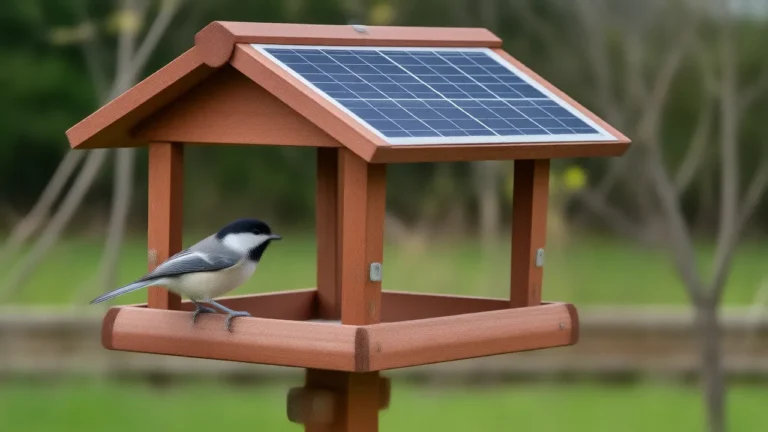
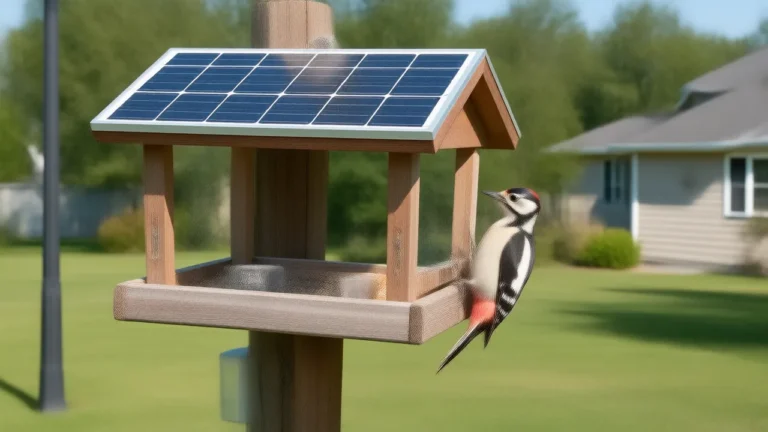
A bird feeder camera can be a wonderful gift for an older parent, as long as three practical things are in place: WiFi that reaches the feeder, a phone or tablet they are comfortable using, and a plan for who refills the seed. Get those right and the birds come right to the chair where your parent already sits, close enough to see the red on a woodpecker's head.
Get them wrong and the camera becomes one more gadget in a drawer. The checklist below will tell you which way it is likely to go, and the setup plan at the end gets everything running in a single visit.
Who a feeder camera suits, and who it doesn't
A good fit
- Someone who already watches birds from a window and would enjoy a closer look at who is visiting.
- A parent who spends much of the day at home, or who can't easily get out into the yard anymore. The camera brings the yard indoors.
- A regular phone or tablet user. If they text, look at photos and take video calls, they can learn one more app.
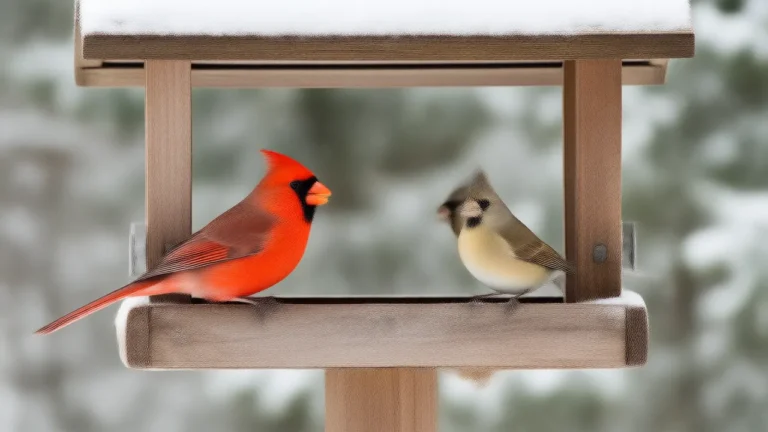
- Someone who likes to share. A screenshot of a cardinal on the feeder is an easy thing to text to the grandchildren, and it gives the family something new to talk about on every call.
A poorer fit
- No home WiFi, or WiFi that fades out before it reaches the yard.
- No smartphone or tablet, or a real dislike of apps and notifications.
- Memory changes that make new apps frustrating. A plain feeder hung outside a favorite window may bring more joy with less friction.
- A community that restricts feeders. Some retirement communities, apartments and homeowner associations limit feeders because of mess or rodents. Check the rules before you buy.
- Bear country. Where black bears are active, feeders attract them. Local wildlife officials often advise feeding birds only in the colder months, when bears are denning.
The gift checklist: answer these before you buy
| Question | Why it matters | How to check |
|---|---|---|
| Does WiFi reach the feeder spot? | Live view and the phone alert when a bird lands both run over WiFi. | Stand at the spot with a phone on the home network and play a video. |
| Is there a sunny spot in view of a window? | A camera with a solar panel on the roof needs direct sun for a good part of the day. | Watch the spot once in the morning and once in the afternoon. |
| What will they watch on? | The picture is only as easy to see as the screen it is on. | A tablet gives a bigger view. Confirm the camera's app runs on it. |
| Who refills and cleans the feeder? | An empty feeder means an empty screen. | Agree on a person and a schedule before the gift is opened. |
| Where will clips be saved? | Check supported card recording, included or paid cloud history and separate AI features for the exact model. Birdfy's app guide is one manufacturer-specific example. | Agree who manages exports and any paid features; do not buy a card before confirming support. See the SD and cloud comparison. |
| Are feeders allowed? | Community rules can end the project before it starts. | Ask the building office or read the association rules. |
Settle the WiFi question first: without a signal at the feeder there is no live view and no alert. Our guide on whether a bird feeder camera needs WiFi explains what works with and without a signal, and what still works without a subscription covers the storage question in more detail.
Making the phone or tablet easy to use
Most smart feeder cameras have no screen of their own. The phone or tablet is the monitor, so a few minutes spent setting it up for your parent makes a bigger difference than any feature on the camera.
- Turn up the text size. Every modern phone and tablet has a text-size or display-zoom setting under display or accessibility settings. Larger text makes buttons in the camera app easier to read and tap.
- Put the app front and center. Move it to the first home screen, next to the phone and messages icons, and clear away apps they never use.
- Tame the alerts. A busy feeder can trigger alerts all day. If the app offers a sensitivity setting, start low. Use the phone's do-not-disturb schedule so alerts never arrive at night.
- Choose a sound they can hear. A louder or more distinctive alert tone helps if hearing is fading. For some people a vibration-only alert is less jarring.
- Consider a tablet on a stand. Propped up beside a favorite chair and kept on its charger, a tablet works like a small bird television.
Write a one-page instruction card in large print: open the app, tap the camera, turn the screen sideways for a full-size view. Tape it inside a kitchen cabinet door or keep it with the tablet. It saves a lot of phone calls.
Who refills the seed: the part everyone forgets
A feeder needs seed every few days to once a week, depending on its size and how busy it is. Birds eat more in cold weather, so winter refills come faster. If your parent can't do that safely, the camera needs a helper as much as it needs WiFi.
- No ladders. Falls are a serious risk for older adults. Mount the feeder so the seed can be poured while standing flat on the ground, around chest or shoulder height for whoever does the refilling.
- Buy smaller bags. Big seed bags are heavy and awkward. Smaller bags, or a lidded container with a scoop kept by the door, are far easier to handle.
- Consider sunflower hearts. Hulled seed leaves no shells to rake up under the feeder. It does spoil faster in wet weather, so offer only what the birds finish in a day or two.
- Plan the cleaning. Feeders should be scrubbed every couple of weeks, and more often in wet or hot weather. Our guide on how to clean a bird feeder has the steps. Make it a job for family visits, and wipe the camera lens at the same time.
- Put it on a calendar. A neighbor, a grandchild or a weekly visitor can own the refill. A recurring phone reminder keeps it from slipping.
A side benefit: the live view shows at a glance whether the feeder is empty, so whoever opens the app can tell when a refill is due without walking outside.
A holiday gift? A few timing notes
Winter is a busy season at feeders across much of the country, so a camera given in December can have visitors right away. Two things are harder in winter, though. Frozen ground makes it difficult to set a new pole, so a deck railing, fence post or sturdy tree branch is often the easier mount until spring. And short, cloudy days give a solar panel less sun to work with, which is one more reason to choose the brightest spot you can.
New feeders can also take anywhere from a few days to a couple of weeks for birds to discover. Tell your parent that up front, so a quiet first week doesn't feel like a failure. For more on the gift question in general, see whether a bird feeder camera is a good gift.
A simple setup plan for one visit
Before you go
- Confirm the WiFi network name and password with your parent, and where the router sits in the house.
- Charge the camera fully, following the maker's instructions.
- Confirm the exact model's supported storage and AI features, what is included and any paid options before you visit.
On the day
- Choose the spot together. Pick a view your parent enjoys, then protect hazardous glass with a full exterior screen or dense exterior markings. Do not use distance alone as a safeguard; follow current window-collision guidance.
- Connect the camera to WiFi before you mount it, close to the router if the instructions suggest that.
- Mount it at a height they or their helper can reach from the ground, with the solar panel facing open sky. Our list of bird feeder camera mounting ideas covers poles, railings and trees.
- Set up the phone or tablet: large text, the app on the home screen, gentle alerts and quiet hours.
- Keep the login details safe. Store them somewhere your parent and one trusted family member can both find.
- Fill the feeder and watch together. Show them how to open the live view, go full screen and take a screenshot.
A week later
Call and ask three questions. Are the alerts welcome or annoying? Is anyone visiting yet? Who refilled the feeder? Adjust the alert settings, move the feeder if the birds are ignoring it, and confirm the refill plan is holding. After that, the birds do the rest.
Questions people ask
Can an older parent use a bird feeder camera without a smartphone?
Usually not well. Most feeder cameras are watched through an app on a phone or tablet, so a parent without either may enjoy a plain feeder outside a favorite window more.
Is there a bird feeder camera with a monitor?
Most smart feeder cameras have no screen of their own; you watch in an app. A tablet on a stand beside your parent's chair works much like a dedicated monitor, if the camera's app runs on it.
Does a feeder camera need a subscription?
It depends on the exact model. Some cloud history may be included, card recording is supported only on some cameras, and AI identification has its own entitlement. Check current features and fees; do not assume that buying a card unlocks identification.
How high should the feeder be for an older parent?
Low enough that seed can be poured while standing on the ground, around chest or shoulder height for whoever refills it. Never plan a refill routine that needs a ladder.
Written by the Backyard Birdcam team with AI assistance. Found something we got wrong? Email shop@smarternewsnow.com and we will fix it. How we write our guides.